
How to Automate Savings Using Split Direct Deposit
Let’s get one thing straight. If your strategy for how to automate savings is waiting until the 31st of the month to see “what’s left over,” you are setting yourself up to fail.
Why? Because there is never anything left over. We are practically hardwired to spend whatever cash is sitting right there in our checking accounts. Between sudden car trouble, a random Friday night dinner invite, and the general cost of just existing, your extra cash will always find a place to go.
It isn’t a character flaw; it is a behavioral economic principle known as Parkinson’s Law. It dictates that your expenses will naturally rise to meet your income. If there is $400 sitting in your checking account on a Thursday, your brain will find a way to justify spending $400 by Sunday.
To actually break the paycheck-to-paycheck cycle and build your Emergency Fund Basics, you have to take your own brain out of the driver’s seat. You need to learn exactly how to automate savings so the money vanishes before you can touch it.
The secret to building effortless wealth isn’t about extreme, miserable frugality. It is about building a background system where saving happens invisibly. Here is the complete, operational guide to setting up the ultimate financial hack: the split direct deposit.
⚡ Quick Answer
The most effective way to automate your savings is to log into your employer’s payroll portal and set up a split direct deposit. By routing 10% to 20% of your paycheck directly into a separate High-Yield Savings Account (HYSA) before the rest hits your primary checking account, you force yourself to save money invisibly, without relying on daily willpower.
Why Willpower Always Fails
Think of willpower like a phone battery. Every time you resist a targeted Instagram ad, walk past a coffee shop, or delete a food delivery app, your battery drains. By 5:00 PM on a Friday, your decision-making battery is at 1%, and you cave. You buy the expensive takeout.
Understanding how to automate savings fixes this entirely.
When you automate your finances, you only have to make the smart, frugal choice exactly one time. You set the system up on a Tuesday morning, and after that, the software does the heavy lifting on autopilot. You are essentially treating your savings account like your most important monthly bill.
If you do not automate the transfer, you are forcing yourself to make the “right” choice 24 times a year (every time you get paid). You will eventually lose that battle.
What Actually is a Split Direct Deposit?
If you want to know how to automate savings at the highest level, you have to utilize the split direct deposit. This is a standard payroll feature that almost every modern employer offers, yet very few people actually use it.
Instead of dumping your entire paycheck into one giant checking account pool, you tell your HR department (or your company’s payroll software) to slice the money up before it ever hits your bank.
You can skim off a set percentage (like 10%) or a flat dollar amount (like $250) and route it straight to a separate savings account. The remaining balance goes to your primary checking account to cover rent, groceries, and daily expenses.
Because that $250 never lands in your main account, your brain never registers it as “spending money.” Out of sight, out of mind.
The Operational Math: Manual vs Automated
Let’s look at the raw numbers to see why figuring out how to automate savings is mathematically superior to the traditional method.
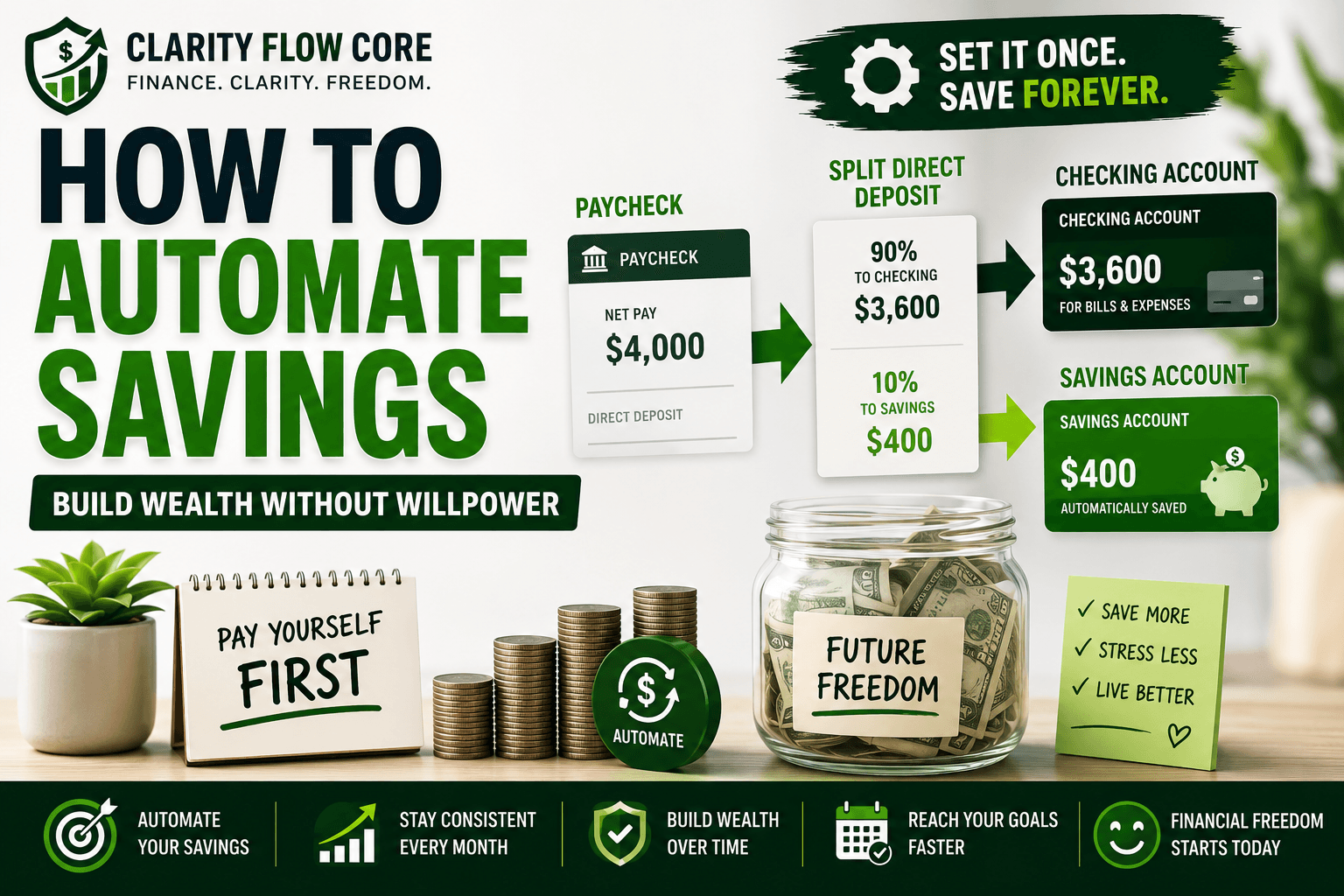
Assume you take home $4,000 a month. You want to save $400 a month.
The Manual Saver:
The manual saver receives $4,000 into their checking account on the 1st of the month. They plan to manually transfer $400 on the 30th. But during the month, they buy concert tickets, grab drinks with coworkers, and replace a microwave. By the 30th, there is only $150 left. They transfer the $150. Over a year, they save roughly $1,800.
The Automated Saver:
The automated saver sets up a split direct deposit. Before they even wake up on payday, $400 is routed to an online savings account. Only $3,600 hits their checking account. Because they only see $3,600, they naturally adjust their lifestyle to fit that number. They effortlessly hit their target every single month.
Here is the exact difference that system makes over a 5-year timeline, assuming the money is parked in a 4.5% High-Yield Savings Account:
| Method | Monthly Goal | Actual Amount Saved | 1-Year Total | 5-Year Total (with 4.5% Interest) |
| Manual Saving | $400 | $150 (Inconsistent) | $1,800 | $10,135 |
| Split Direct Deposit | $400 | $400 (Guaranteed) | $4,800 | $27,025 |
By simply changing the routing numbers in your payroll software, you generate a $17,000 difference in your net worth over five years. That is the power of the system.
The 3-Step Setup: How to Automate Savings Today
Ready to flip the switch on your wealth? Here is the exact, step-by-step blueprint for how to automate savings using your employer’s payroll system.
Step 1: Open an “Out of Sight” Savings Account
Do not use the savings account that is attached to your everyday checking account. If you log into your banking app to buy a coffee and you see $8,000 sitting in a linked savings account, your brain will tell you that you are rich. When things get tight, you will just instantly transfer the money over.
Instead, open a High-Yield Savings Account (HYSA) at a completely different, online-only bank. If you’re not sure which account to open, How to Choose Your First High-Yield Savings Account explains how to compare FDIC insurance, fees, APYs, and transfer features before making your decision.
Step 2: Calculate Your Automation Number
How much should you actually stash away? If you want the gold standard for how to automate savings, use the framework found in The 50/30/20 Budget Rule Explained Simply. That rule dictates carving out 20% of your take-home pay for saving and debt reduction.
| Income Goal | Suggested Split |
| Beginner Saver | 5% |
| Building Emergency Fund | 10% |
| Following 50/30/20 Rule | 20% |
| Aggressive Wealth Building | 25%+ |
Does 20% feel way too scary right now? No problem. Start with just 5%, or even a flat $50 per paycheck. Building the actual system matters far more than the initial dollar amount. You can always log into your portal and bump it up by 1% every few months when you get a raise.
If you’re saving to move into your own apartment or house, automating these transfers can help you reach your goal much faster. Read How Much Should You Save Before Moving Out on Your Own? to estimate how much you’ll need before signing a lease.
Fund Your New Automation
Want to set up a split direct deposit but feel like your paycheck is already stretched too thin? Stop giving the IRS an interest-free loan. Use our optimizer to adjust your W-4, increase your take-home pay, and use that extra cash to fund your automatic savings.
Optimize My W-4Step 3: Update Your Payroll Portal
Log into ADP, Gusto, Workday, Paychex, or whatever payroll portal your company uses.
- Navigate to the “Payment Methods” or “Direct Deposit” tab.
- Click “Add Account” and enter your new HYSA routing and account numbers.
- Set this new account to receive a Specific Amount (e.g., $200) or a Percentage (e.g., 10%).
- Ensure your original checking account is set to receive the Net Remainder (the balance of the paycheck after the savings are removed).
Advanced Automation: The Multiple Split Strategy
Once you master the basic split direct deposit, you can scale the system. The most financially secure people don’t just have one savings account; they use multiple splits for targeted goals.
If you have read our guide on How Sinking Funds Protect Your Emergency Savings, you know that you should separate your true emergency money from your predictable bills.
You can log into your payroll system and set up a three-way split:
- Account 1 (HYSA – Sinking Fund): $150 per paycheck (For annual property taxes and car insurance).
- Account 2 (HYSA – Emergency): $200 per paycheck (Do not touch unless unemployed).
- Account 3 (Checking): The Net Remainder (For rent, groceries, and daily life).
When you build your cash flow this way, large annual bills stop feeling like financial emergencies because the system has been quietly funding them all year.
How to Automate Savings on a Variable Income
If you are a 1099 contractor, a freelancer, or someone who works strictly on commission, you do not have a traditional HR department to set up a split direct deposit for you.
Learning how to automate savings with an unpredictable income requires a slightly different approach, which we cover extensively in How to Budget as a Freelancer When Income Changes Every Month.
Instead of splitting the money before it hits your bank, you must act as your own payroll department:
- Set all of your client invoices to deposit into a central Business Checking Account.
- On the 1st and 15th of the month, log in and manually transfer a set percentage (e.g., 15% for taxes, 10% for savings) into your separate accounts.
- Only transfer the remaining balance into your Personal Checking account.
While it requires one manual step, the logic remains the same: you hide the savings before you ever start spending the money on personal expenses.
When This Backfires
While learning how to automate savings is the single best thing you can do for your net worth, the strategy is not flawless. If you do not monitor the system occasionally, it can backfire aggressively. Here is where the automation trap catches people:
- The Overdraft Trap: If you get overly ambitious and automate $800 a paycheck into savings, but your actual living expenses demand that $800, you will overdraft your main checking account. You will then get hit with $35 non-sufficient fund (NSF) fees, completely wiping out the interest you earned in your HYSA. Start small. It is better to automate $50 successfully than to automate $500 and trigger a cascade of banking fees.
- Ignoring High-Interest Debt: If you are automating $300 a month into a savings account earning 4.5%, but you are carrying $10,000 in credit card debt charging you 24.99%, your automation is mathematically destroying you. You are losing money every single day. If you have toxic consumer debt, you must redirect your split direct deposit to attack the principal. (If you aren’t sure how to do that, read How to Actually Finish a 30-Day No-Spend Challenge to free up cash, and then launch a massive debt payoff plan).
- Lifestyle Creep Blindness: Automation works so well that people often forget about it. When you get a $10,000 raise at work, your HR system will continue to pull the exact same flat dollar amount you set three years ago. If you do not actively go in and update your split direct deposit to capture that new income, 100% of your raise will flow into your checking account and get absorbed by lifestyle inflation.
Frequently Asked Questions (FAQs)
How much should I automate into savings?
Most financial experts recommend saving at least 10% to 20% of your take-home pay, but even $25 per paycheck can build massive momentum over time.
Can I split my paycheck between multiple accounts?
Yes. Most modern payroll providers allow employees to divide direct deposits across several checking and savings accounts simultaneously.
Does split direct deposit cost money?
Typically no. Most employers and banks offer split direct deposit capabilities entirely free of charge.
Should I automate savings if I have credit card debt?
Usually, high-interest consumer debt should be prioritized before building large cash savings beyond a $1,000 to $2,000 starter emergency fund.
The Psychological Magic of “Invisible Money”
The most incredible part about figuring out how to automate savings is that you will learn to live on slightly less money without actually feeling the pinch.
If your paycheck is suddenly $200 lighter every two weeks, you naturally adjust. You might buy one less round of drinks, or skip a few impulse Amazon purchases, but your actual standard of living does not drop. You won’t even miss the cash.
Meanwhile, that “invisible” $200 is quietly stacking up in your High-Yield Savings Account, earning compound interest while you sleep. Before you know it, you will have a fully funded safety net sitting in the background, and you didn’t have to stress, budget meticulously, or skip a single dinner with friends to get there.
Take 15 minutes right now to log into your payroll portal and update your direct deposit settings. It is unequivocally the most profitable 15 minutes you will spend all year.
References & Trusted Sources
To learn more about the behavioral economics of saving and how to properly structure your bank accounts, review these official consumer resources:
- Consumer Financial Protection Bureau (CFPB) – Savings Toolkit
- FDIC – Saving Automatically
- Consumer.gov – Saving Money Strategies
Disclaimer: The information provided in this guide is for educational purposes only and does not constitute financial, investment, or tax advice. All financial products and offers are subject to individual credit approval and specific lender terms. Please consult with a qualified financial professional to determine if the strategies or products discussed in this guide are the right fit for your personal financial situation.
About Author

Rishabh Nigam
Rishabh Nigam founded Clarity Flow Core to make personal finance easier to understand for everyday readers. He covers credit scores, debt repayment, credit utilization, loan readiness, taxes, and financial planning through practical guides, calculators, and educational resources. His content focuses on turning complex financial concepts into clear, actionable steps that readers can apply in real life.






One Comment
Comments are closed.